
Keyboard-first POS billing
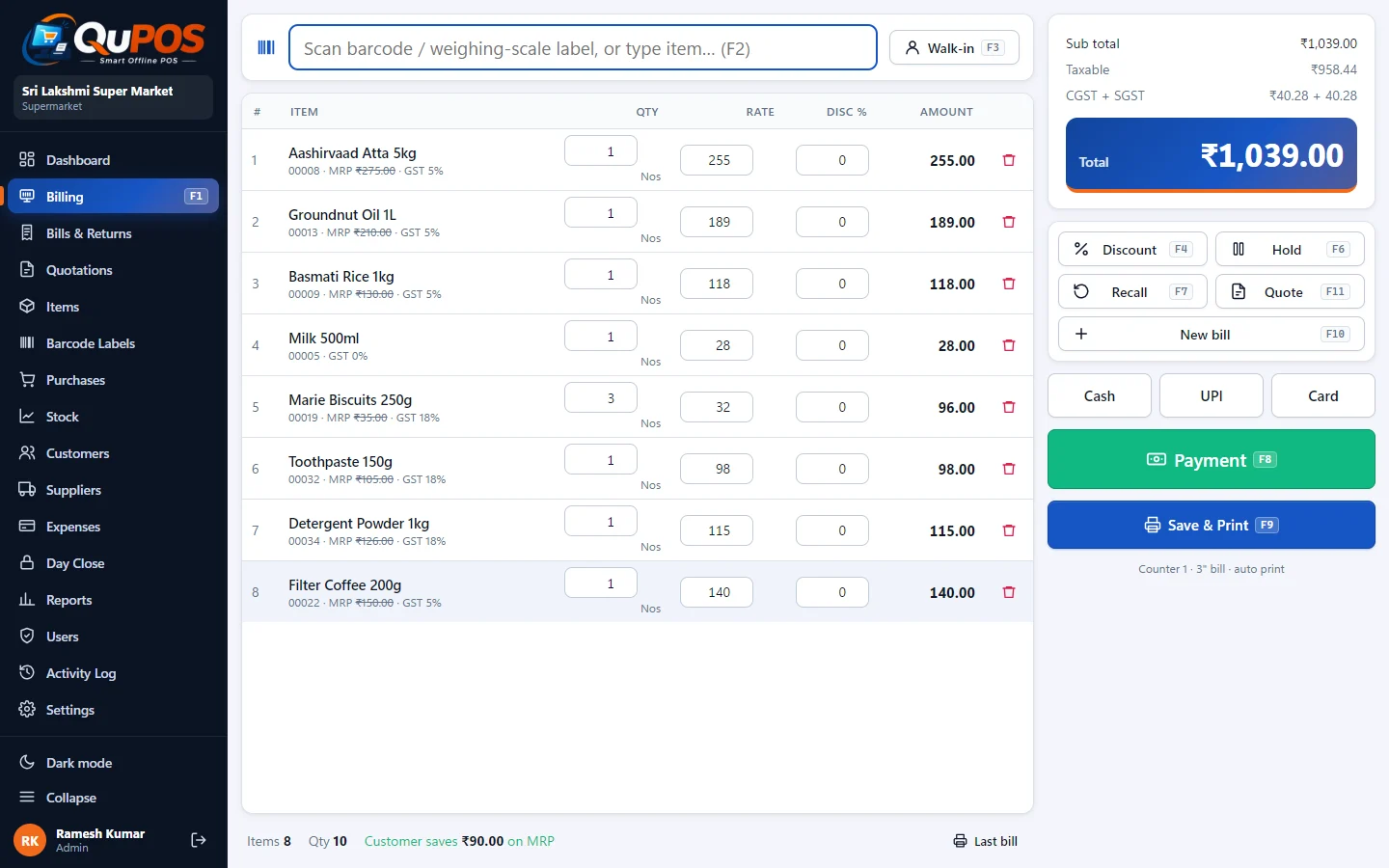
Scan a barcode or search by name or code. A cashier who knows the F-keys never needs the mouse.
QuPOS is POS software for retail shops, supermarkets, textile and mobile shops. Scan, press F9, the bill prints on a 2-inch, 3-inch or A4 printer. GST or VAT, barcode labels, stock and reports. 30 days free, then ₹1,500 once, for life.
Billing software from Qubha, the team behind QuPOS
A month of billing at a demo supermarket: the counter, the owner's dashboard, printed bills, reports, stock and labels.


Choose your business type in the first-run wizard. QuPOS switches on the fields and screens that shop needs, and you can change it later in Settings.
For stationery, hardware, gift, cosmetics, footwear, toy and electrical shops that want a queue to move fast.
Explore Barcode Billing
Sell rice by the kilo and biscuits by the packet on the same bill.
Explore Supermarket
One shirt style in five sizes and four colours is twenty items.
Explore Textile
Every phone has two IMEIs and a warranty.
Explore Mobile Shop
Built for the person at the till: keyboard shortcuts, big totals, fast search, and printing that just works.
Scan a barcode or search by name or code. A cashier who knows the F-keys never needs the mouse.
2-inch (58 mm) or 3-inch (80 mm) thermal, a full tax invoice on A4 or A3, or Save as PDF.
Barcodes are generated automatically, so items without a maker barcode can still be scanned.
Every field a shop needs, plus CSV import so you do not type 3,000 items by hand.
Stock in from suppliers, take back goods, and know who owes whom.
Bring customers back: points on every bill, redeemable as payment, and friendly WhatsApp reminders for dues.
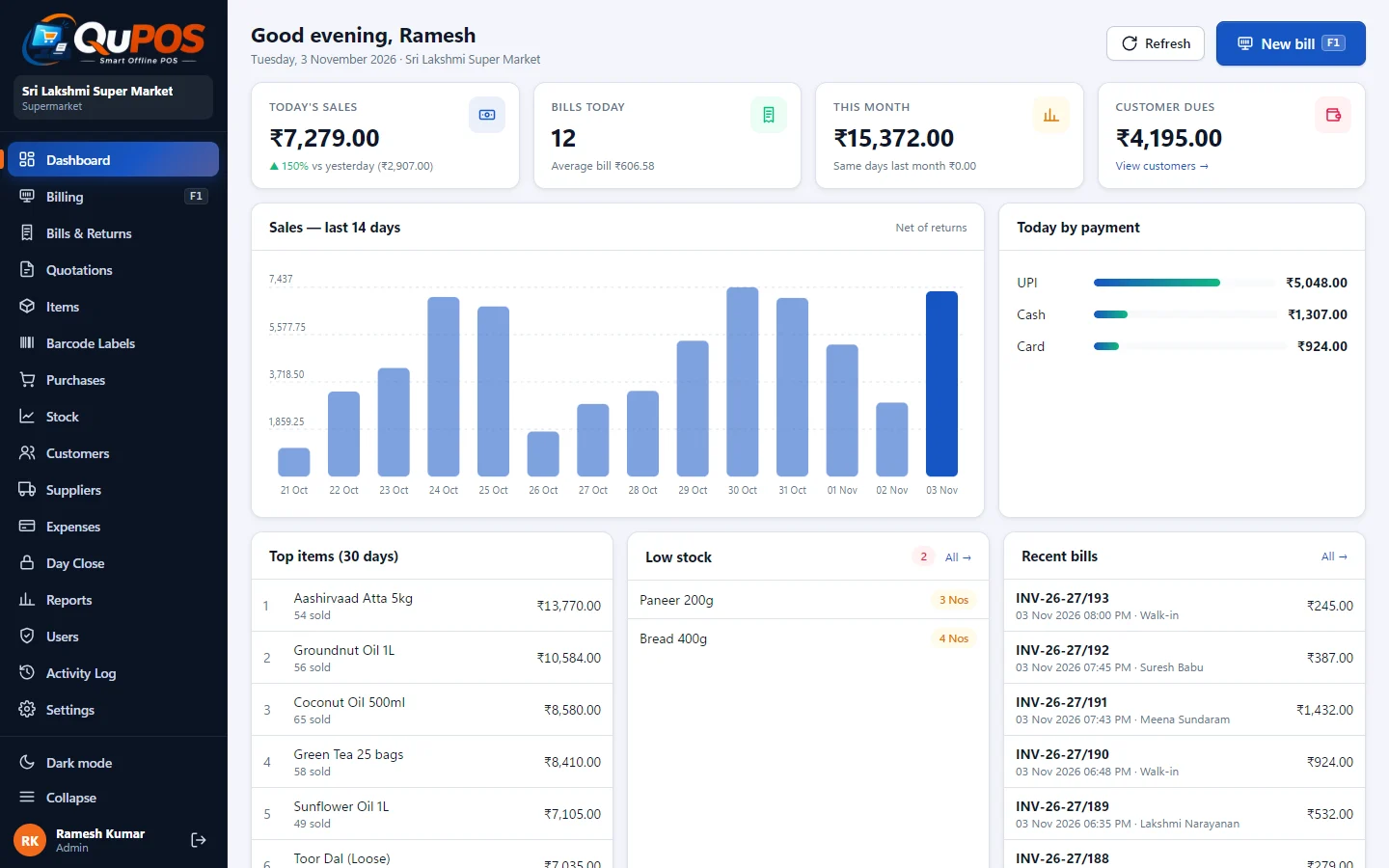
Know today's sales before you close the shutter.
Indian GST with CGST/SGST or IGST, VAT for the Gulf, Africa, the UK and elsewhere, or no tax at all.
No internet needed to bill. One PC uses the built-in SQLite; several counters share Microsoft SQL Server on your LAN.
Roles for staff, one-click backup, and updates that keep your data.
Use the thermal printer you already have. Add your logo, GST/VAT breakup, HSN summary, amount in words, a UPI QR code and "You saved ₹x" against MRP.
Small counters, kiosks and mobile accessory shops where counter space is tight.
The most common retail bill. Room for item name, qty, rate, MRP, amount and a GST/VAT breakup.
Full tax invoice for B2B customers, with HSN summary, amount in words and your logo.
Large-format invoice for long wholesale bills with many lines.
Keep a soft copy or send the bill to a customer by email or WhatsApp yourself.
No maker barcode? QuPOS generates EAN-13 or Code-128 barcodes and prints labels with your shop name, price and MRP.
Get the installer for Windows 10 or 11. No account, no card. The 30-day trial starts on first run.
Barcode Billing, Supermarket, Textile or Mobile Shop. Add your shop name, tax and printer.
Import from CSV or add them one by one. Print barcode labels for items that need them.
Scan, press F9, hand over the bill. Close the day with the Z report.
QuPOS runs on your PC and keeps your data there. Pick the database that fits your shop.
Built in. Install and bill. Perfect for a single counter. Back up with one click or automatically every day.
Two or more counters on your LAN share one database (SQL Server or free SQL Server Express), so stock and reports are always in sync.
Automatic daily backup to a USB drive or a cloud-synced folder. Restore in one click on the same or a new PC.
No subscriptions. No per-bill charges. One price for one PC.
Try everything on your own shop data.
For one PC, for the life of the product.
After the trial without a licence, the app becomes read-only: you can still view bills, run reports and take backups.
A lifetime licence costs ₹1,500, paid once. There is no monthly or yearly fee, and updates are free for the life of the product. One licence covers one PC.
Yes. Every download includes a 30-day free trial with every feature switched on. No sign-up, no email and no card are needed.
Without a licence the software becomes read-only. You can still open old bills, run reports and take backups, but you cannot create new bills or purchases until you activate a licence. Your data is never deleted.
QuPOS is made by Qubha, a software company in Chennai, Tamil Nadu, India. Sales and support are on WhatsApp, phone and e-mail, Monday to Saturday; the contact page has the numbers.
Yes, fully. Billing, printing, stock, reports, backup and licence activation all work offline. Internet is only used to download the installer and to check for updates.
Use the built-in SQLite if you bill on one PC: it needs no setup at all. Choose Microsoft SQL Server or the free SQL Server Express when two or more billing counters on the same LAN must share one stock and one set of reports.
Any 58 mm (2-inch) or 80 mm (3-inch) thermal receipt printer installed in Windows, and any A4 printer for full invoices. A3 invoices and Save as PDF are also available.
Yes. Set a tax % and HSN code per item. Sales within your state show CGST and SGST; inter-state sales use IGST. The GST summary report is available rate-wise and HSN-wise for your accountant.
Download QuPOS and use every feature free for 30 days. Like it? Keep it forever for ₹1,500.